
To do this in RLM Cloud login to your admin portal here https://ls53.rlmcloud.com/rlmcloud/rcc_dashboard.php (If you do not know your login contact licensing@dataminesoftware.com for assistance)
Go to the Dashboard tab and click the options button for your server

Then to reserve a license add a line below the comment such as
RESERVE 1 DiscoverArcGIS Username
where username is their Window's username (do not include the domain/company prefix).
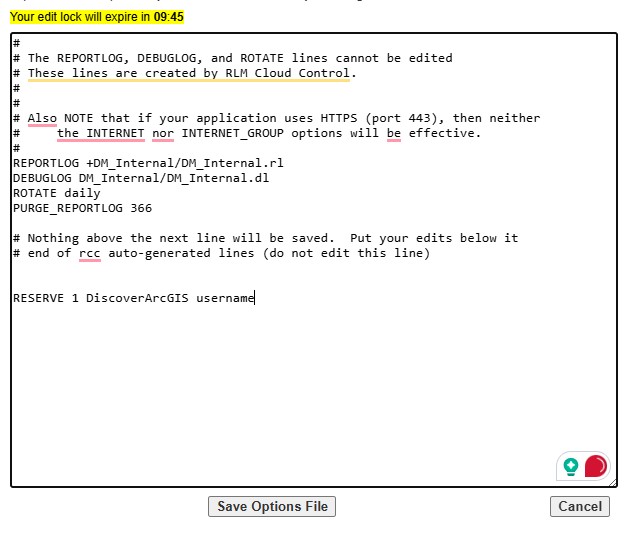
Save the options file, and then back on the dashboard tab, click the Reread button which restarts your server and applys the options file changes.

More details on the various settings you can control in the options file are here https://docs.reprisesoftware.com/docs/admin/isv-options-file.html#


